Governing AI-Powered Salesforce Development: How Tribal Ensures Control with Agility
Explore how Tribal brings org-aware AI to Salesforce development — with built-in governance, rules-based guardrails, and GitHub integration for full pipeline control.


As AI-powered development tools gain traction in the Salesforce ecosystem, organizations face a critical challenge: how to harness the speed and innovation of AI while maintaining the governance, controls, and architectural integrity that years of investment have built.
My own journey through adopting these tools reflects the same. Personally, I like my code and metadata objects to not only be well factored and understandable but also aesthetically pleasing—which sounds strange but is really just a reflection of things looking tidy, ordered, and intentional. At first, AI tools did not generate code the way I wanted it, and I grew frustrated spending more time tailoring the output. That is, until I realized that, like any great partnership, it requires upfront understanding and planning!
I recently got the chance to explore Tribal, a brand new AI-powered platform for the Salesforce ecosystem. Targeting the Salesforce platform has an extra special challenge due to its hybrid development model of using no code and code together—the balance of which is hotly debated for sure. But wherever you land, it must be something everyone, including your AIs, agrees on. In this blog, I will focus on three features of Tribal that help keep me in control, assist the agent and me with org insights, and keep control of the source code generated.
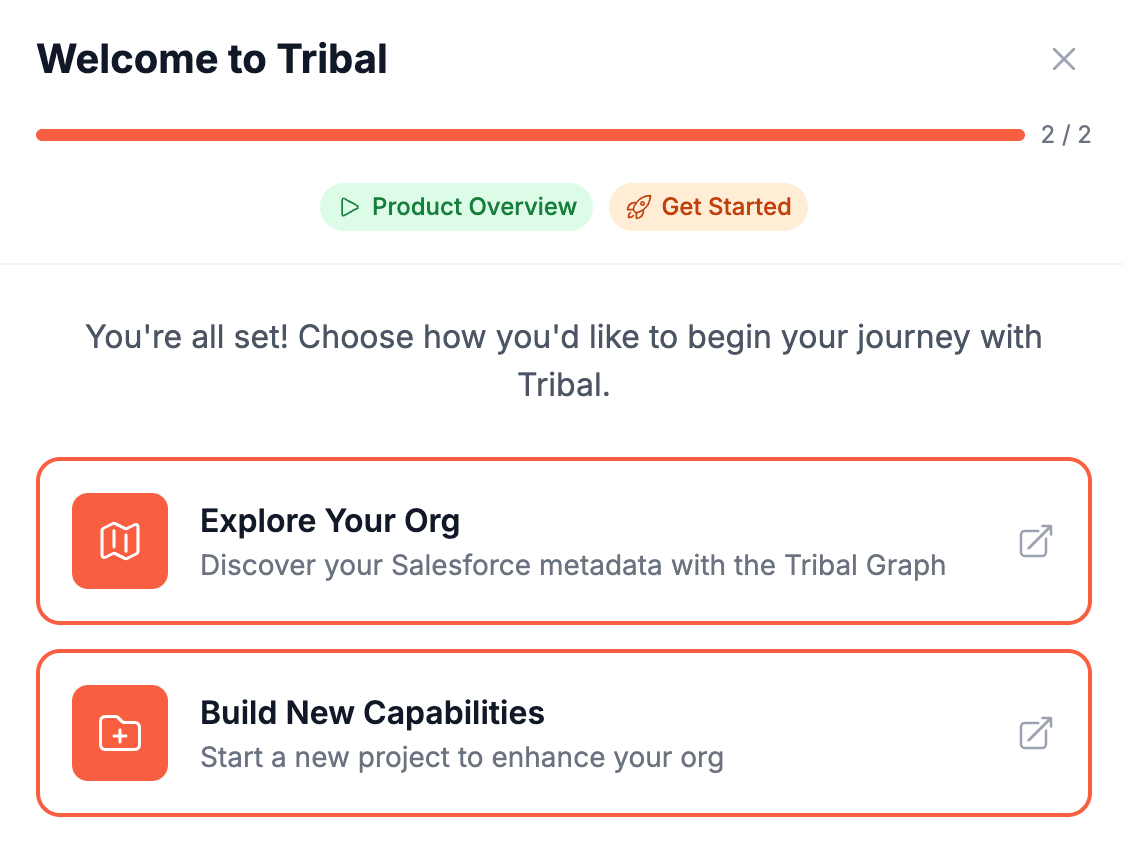
Before we get started, let's briefly baseline on some roles and responsibilities:
Architect: Responsible for maintaining architectural integrity across large, complex orgs. Need to ensure AI-generated code follows established patterns and libraries. Key concerns: dependencies, trigger logic, and object extension limits. Want to understand how AI tools can respect organizational constraints and explore org dependencies.
Engineering Manager: Oversee development processes and code quality standards. Need visibility into AI-generated source code for security scanning and review, and want to integrate AI tools into existing DevOps pipelines. Responsible for ensuring code meets organizational standards before deployment. Need tools to help debug admin issues and assess change impact.
Administrator: Handle day-to-day org management and quick fixes. Benefit from AI assistance for discrete enhancements. Need confidence that AI suggestions won't disrupt critical business logic. Want to understand org structure and dependencies before making changes.
Tribal has the ability to not only create but also update—and to do both, a solid understanding of what's already come before is required! This is most important for all three roles above: not only to inform changes but to respect the significant investment of years, time and resources in the experience within the org to date.
Understanding Your Org's Architecture
To explore Tribal's ability to see what already exists, I decided to take a couple of Salesforce's larger public demo applications Coralcloud, e-Bikes and the older Dreamhouse applications for a test drive. I created a regular DE org for each and deployed per their respective README's the base code and metadata.
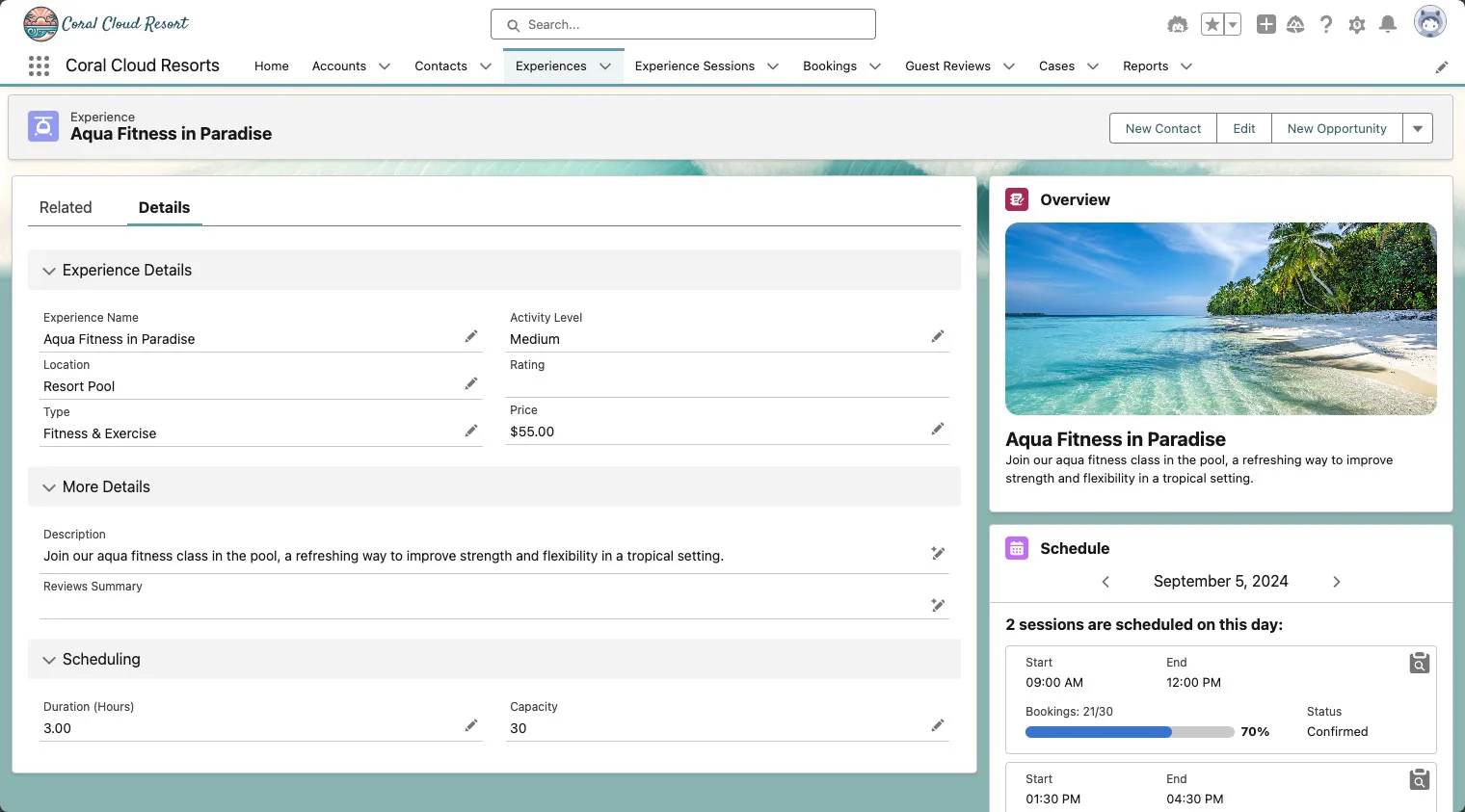
After this it's a matter of installing and configuring the Tribal package in each org that enables Tribal to connect to the org. Of note here is that this process uses the newer Salesforce-recommended External Client Application feature (the replacement for classic Connected Apps). Once connected it will start automatically learning about the metadata layer in the org and various relationships:
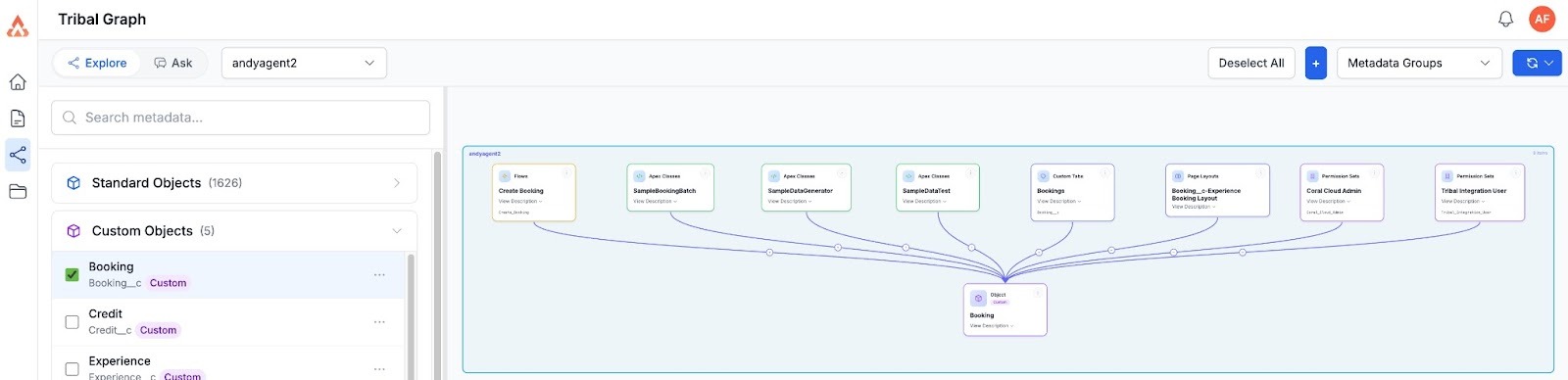
Above is the result of a simple point-and-click exploration on the Booking__c object at the heart of Coralcloud. Notice that what we see is both explicit references and implicit references. The Tribal Integration User permission set (created post package install) does not explicitly reference any of these types, but does have Modify and Read All permissions—so logically it is a relationship. I thought this was kind of neat: it surfaces relationships that are harder to spot (like those driven by permission sets) and better reflects the reality of how certain permissions affect object access in the org. I would ideally like this type of relationship to be shown in a different color or highlighted differently.
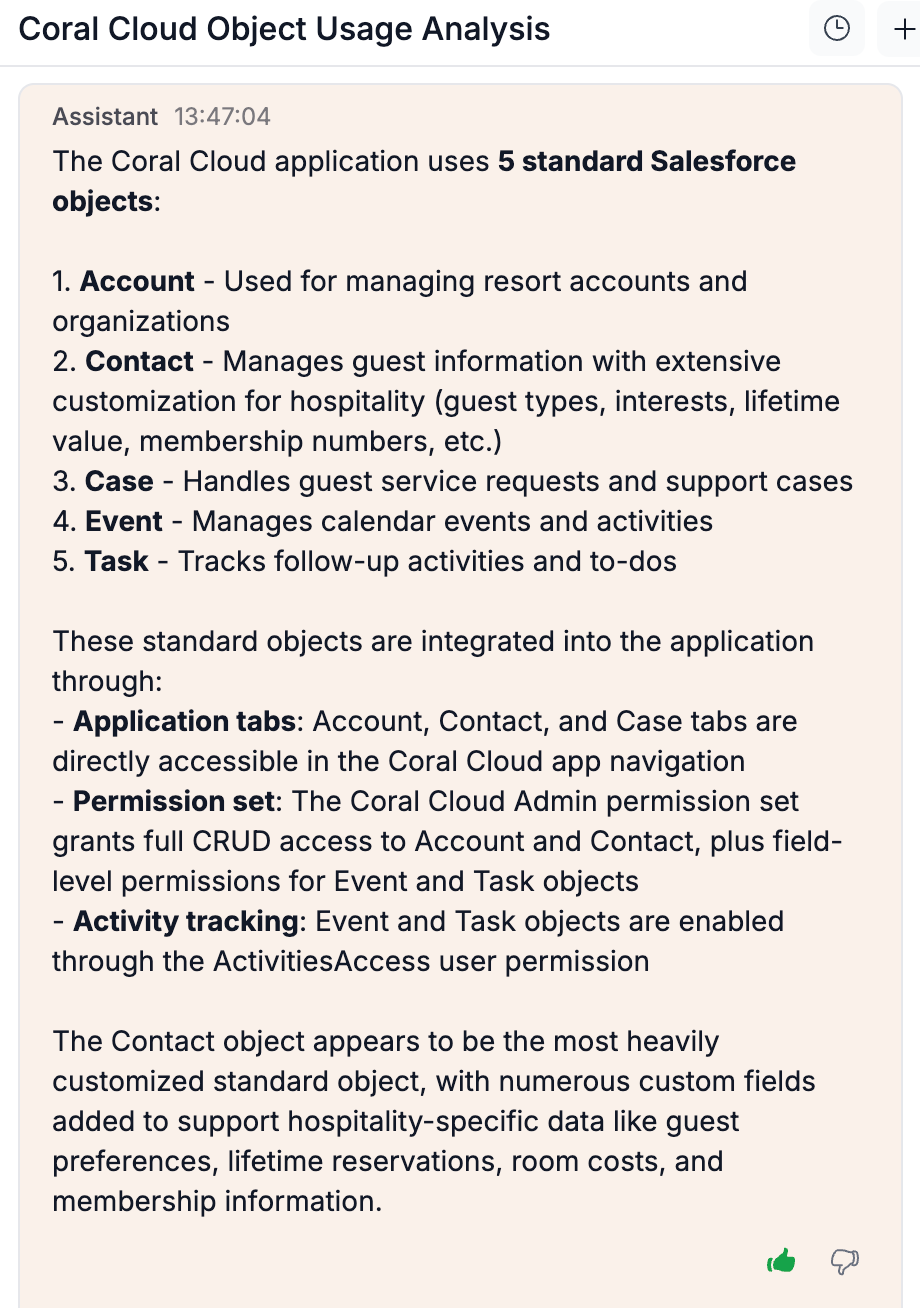
As noted earlier, working in partnership is important—and giving thought to the questions you're asking yields better results than one might expect. I used the Ask mode to request: A list of standard objects used by the Coral Cloud application. That prompted it to literally check the Coral Cloud application metadata—reasonable, but when I reflected on what I actually wanted, I asked instead:
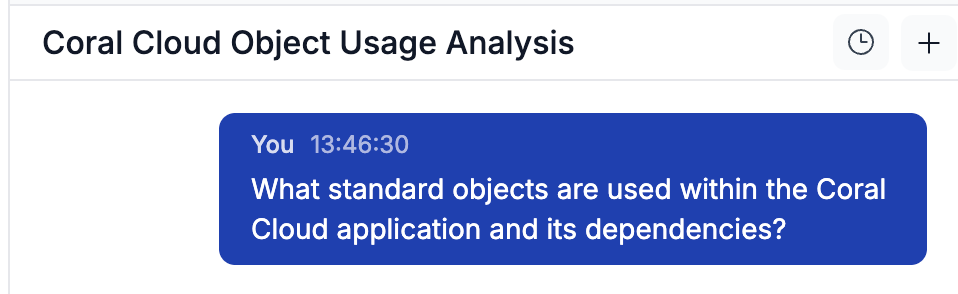
The resulting answer not only gave me the information requested but also further related information as to the usage itself:
Tribal also sees the code/metadata not just the relationships so noticing that CoralCloud demo application had some gaps I threw this at the Ask mode:
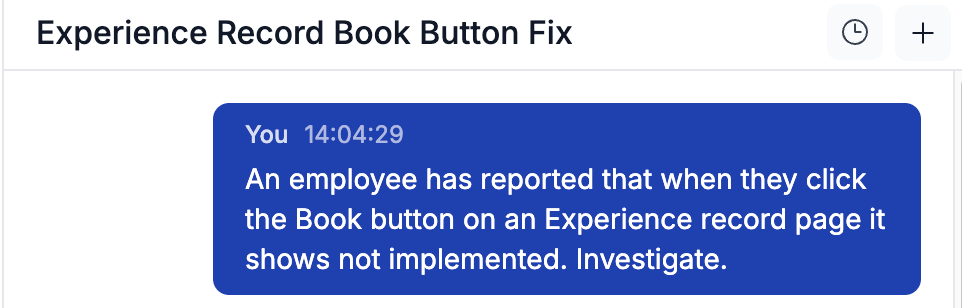
In its response it found the source of the problem directly and offered suggestions on next steps—notably acknowledging an existing Flow that appeared to perform the missing functionality:
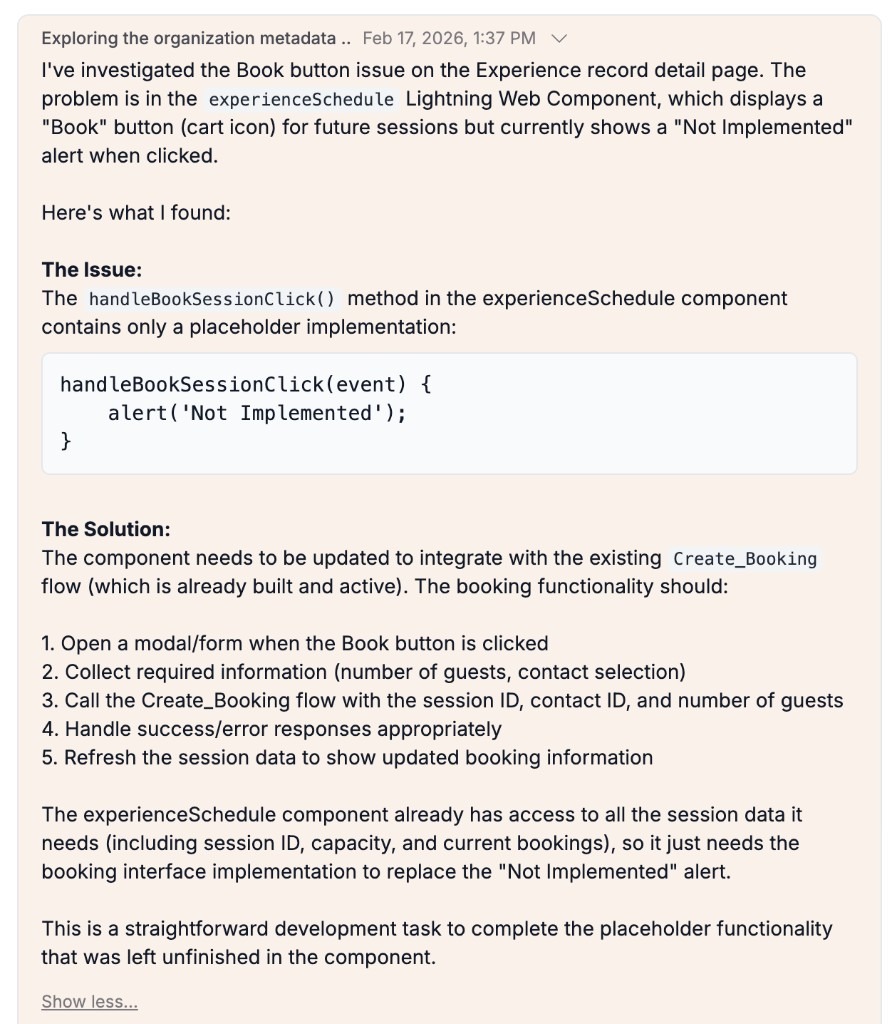
This gives us an ideal opportunity to try out an often overlooked aspect of using AI assistance - incremental in-situ development vs big bang green field! Tribal has the ability to start development at any time during the discussion. Rather than diving into the technical details it starts with a number of user stories (requirements) and a sequence diagram for your review and further discussion:
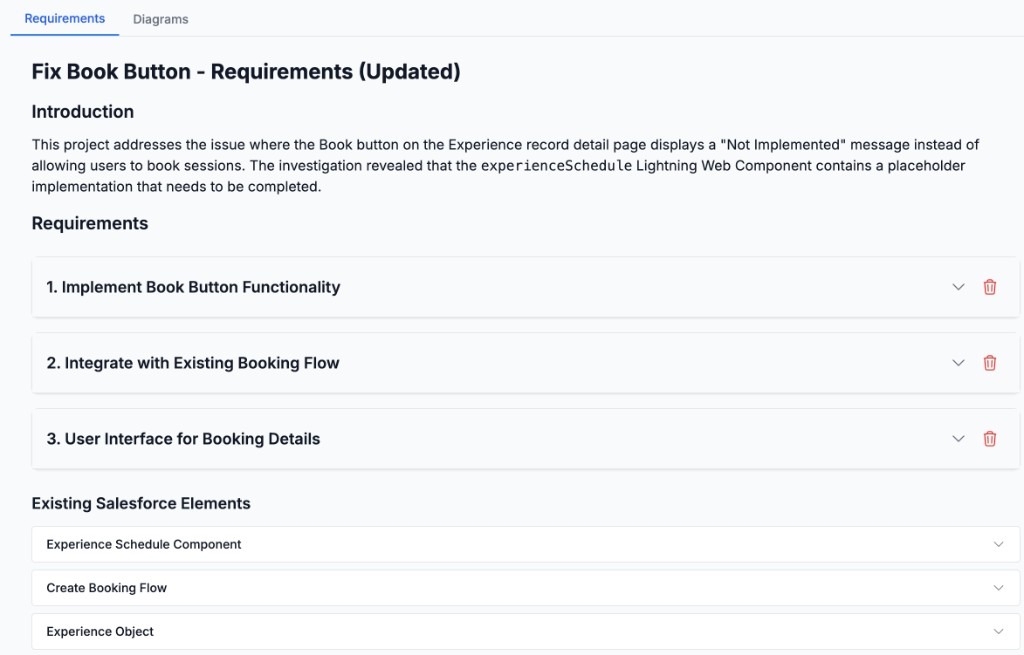
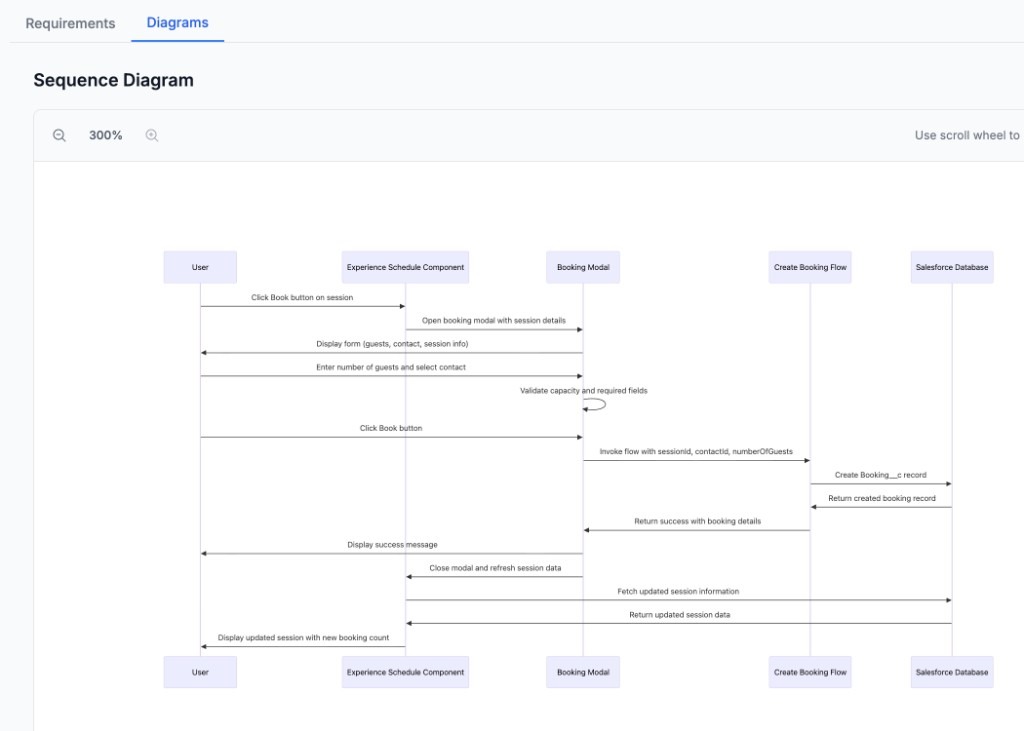
Tribal engages a number of agent roles and phases that reflect different roles and processes of implementing this fix—much as we would in real life. It starts with requirements gathering, then architecture, build and finally deploy. Tribal presents the architecture leveraging a clear separation of concerns between UI Layer, Logic Layer, Data Layer and Security Layer—something those of you that read my main blog and book will know I appreciate (as would Martin Fowler). It is arguable whether the Security Layer should sit higher in the diagram, above the data layer, but I welcome it being called out nonetheless:
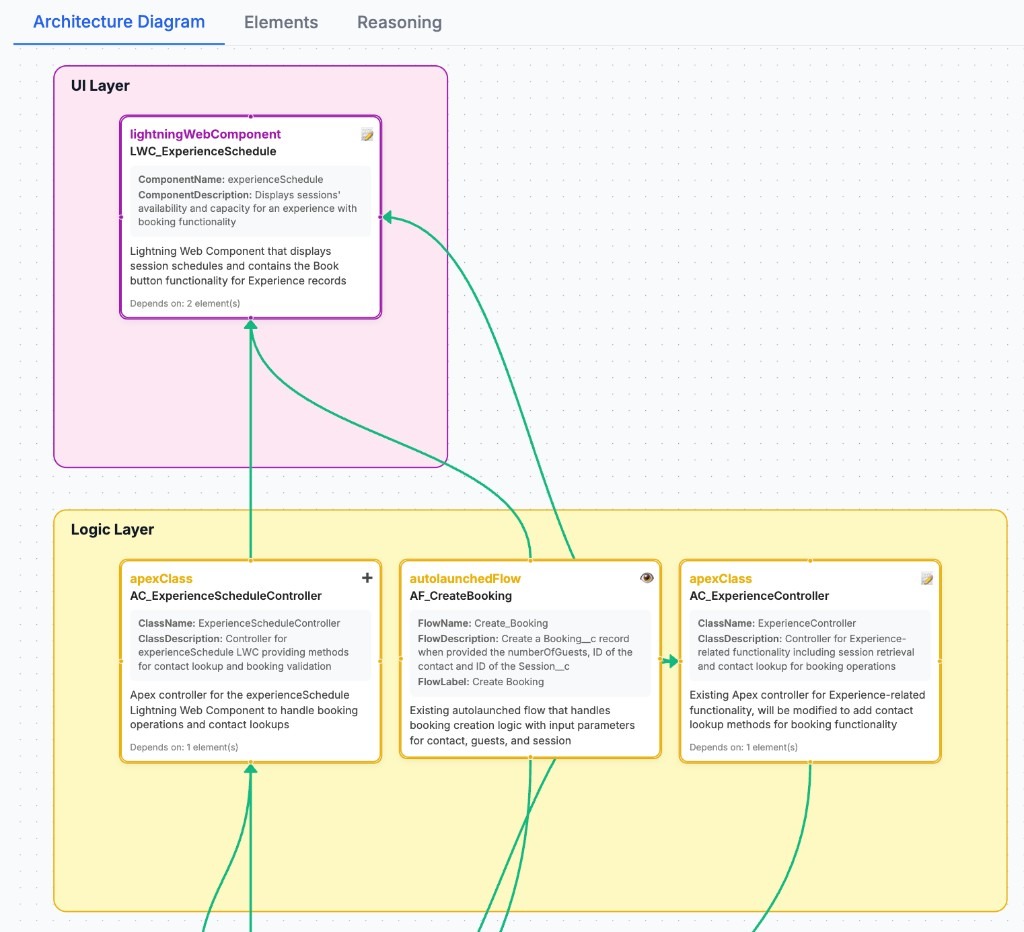
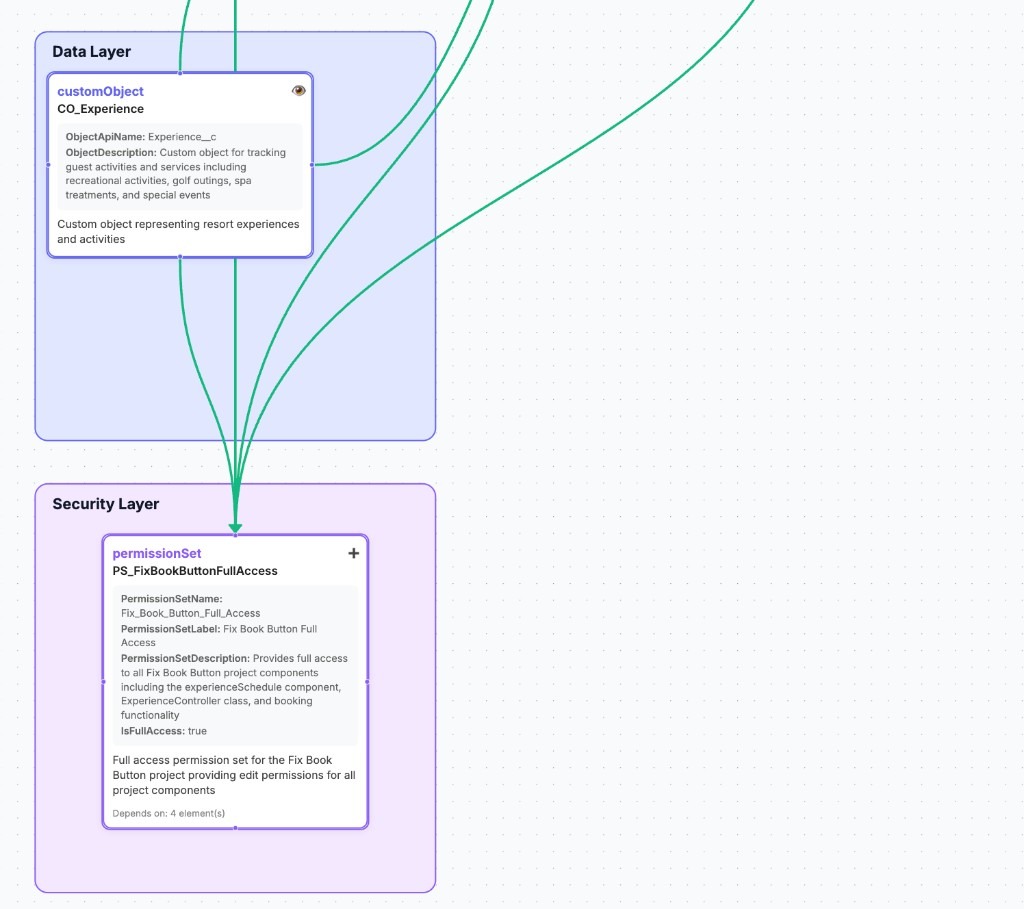
Note: Components referenced by Tribal each have a prefix that grounds them to the project or type of component—with the exception of modifying existing code and metadata, these also flow into the Salesforce org. My feedback here to the Tribal team has been that this at least needs to be an option, as we discussed above: rules around the use of pseudo structuring by prefixing like this in Salesforce are often org-specific.
We can also see here that it has clearly understood existing investment in use (Create Booking Flow) versus making up new things! With one exception—it wanted to go ahead and create a new Permission Set (potentially a good thing, but in my case I knew this was an extension of the app functionality). I did attempt to correct this but at the time of my writing this the tool has a bias to create new permission sets to cover changes—something I have given feedback on. Finally we get to see what it has created from the Components view, where you can also see and even edit the generated code and metadata; this view also shows components that exist, noting them as "Readonly":
Components View - Apex Classes & FBB_ExperienceScheduleController
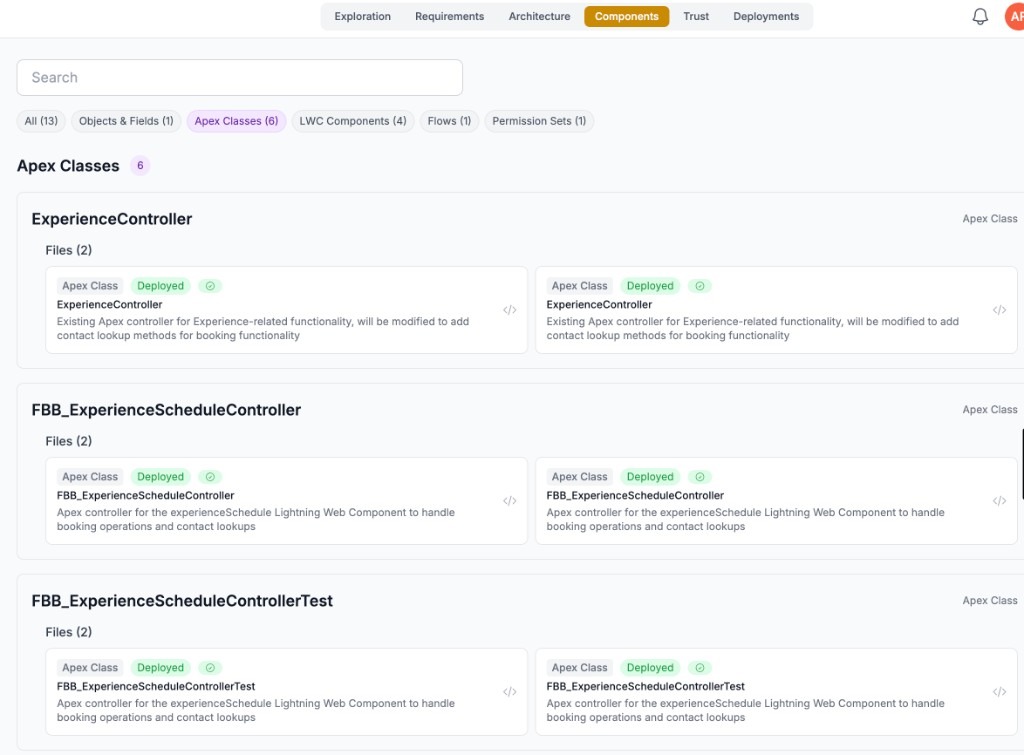
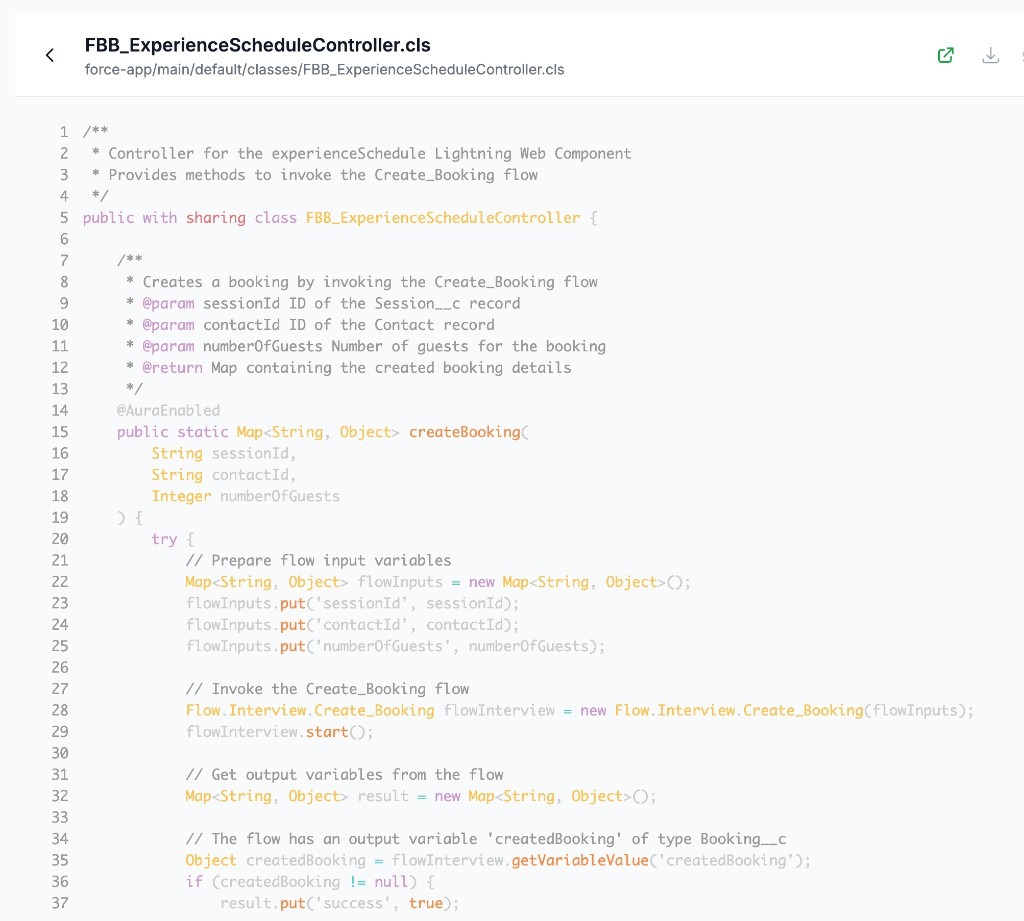
What was also important to me with this scenario was reuse - reuse of existing investment in the org - notably the Flow automation that performs the booking. As we can see from the code above Tribal has figured out that Apex can call Flow and invoked it. The final UI turned out like this when I clicked the booking button:
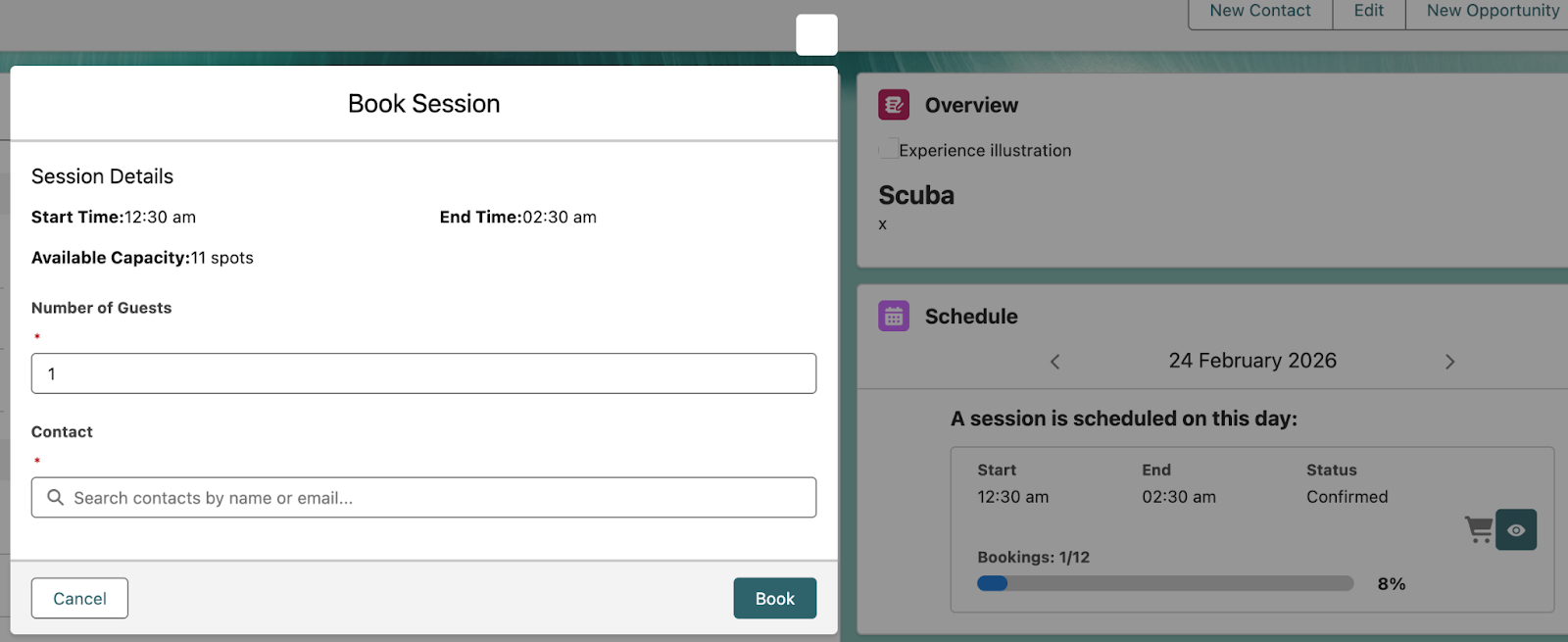
What is also impressive here is that Tribal studied the input parameters of the existing Booking Flow logic and built the above dialog itself based on this information. There is a lot more to explore throughout this process of review and deployment, and areas where I want to swing back and adjust—but this was a great first pass and demonstrates promise as an AI tool that finally grasps that you not only care about new investments but past ones as well.
Teaching AI Your Organization's DNA
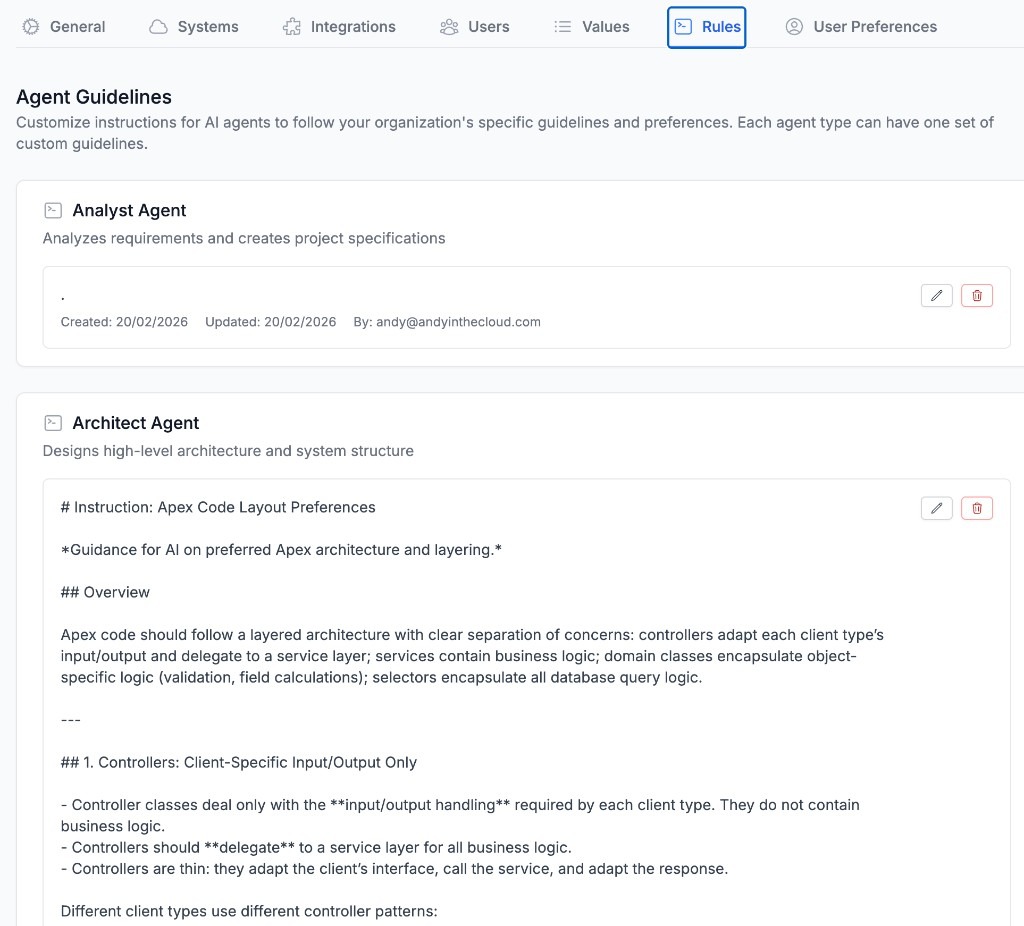
I believe the greatest asset of the Salesforce development process is its blend of code and low code and its ease of creation. However, this can become the root cause of a business's inability to manage updates and changes in a consistent and reliable way via design conventions and coding practices. It is all too easy to ignore these things when you get swept away in the ease with which you can create. This is not a problem AI solves for easily either—but like humans, it can be better informed with guidelines that keep everything aligned and looking consistent to your preferences. In respect to Tribal, these guidelines are provided by rules.
There are many rules you can express, in this case, I created a rule that expresses a few high-level perspectives on separation of concerns that instruct Tribal to ensure that Apex code is factored according to its purpose, scope, and responsibilities. A key one being encapsulating true business logic in a shared service layer vs repeating code in multiple client controller classes. This instruction future-proofs the investment in the logic being created by Tribal such that you or AI can reuse such code from different contexts, such as Flow or Agentforce, in the future. In addition, I added the usual Apex security best practices.
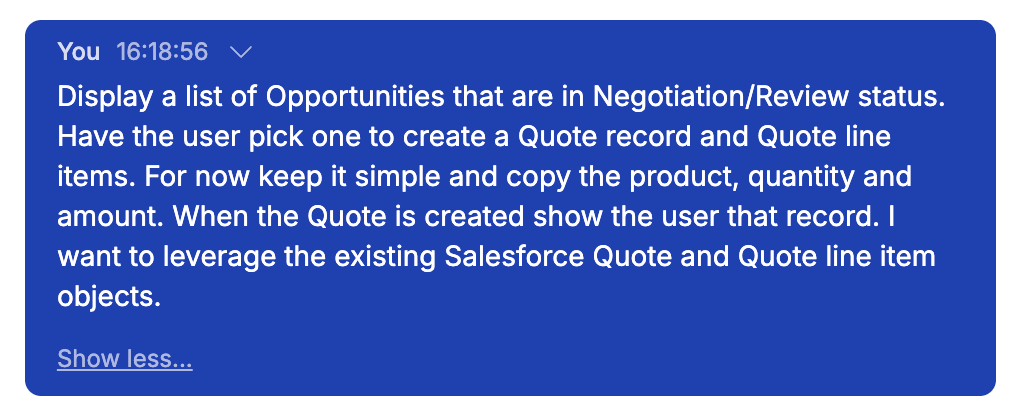
A key reason why customers build applications on Salesforce is the Salesforce standard data model. I wanted to explore what Tribal is able to learn and apply in relation to standard Salesforce objects given the following prompt:
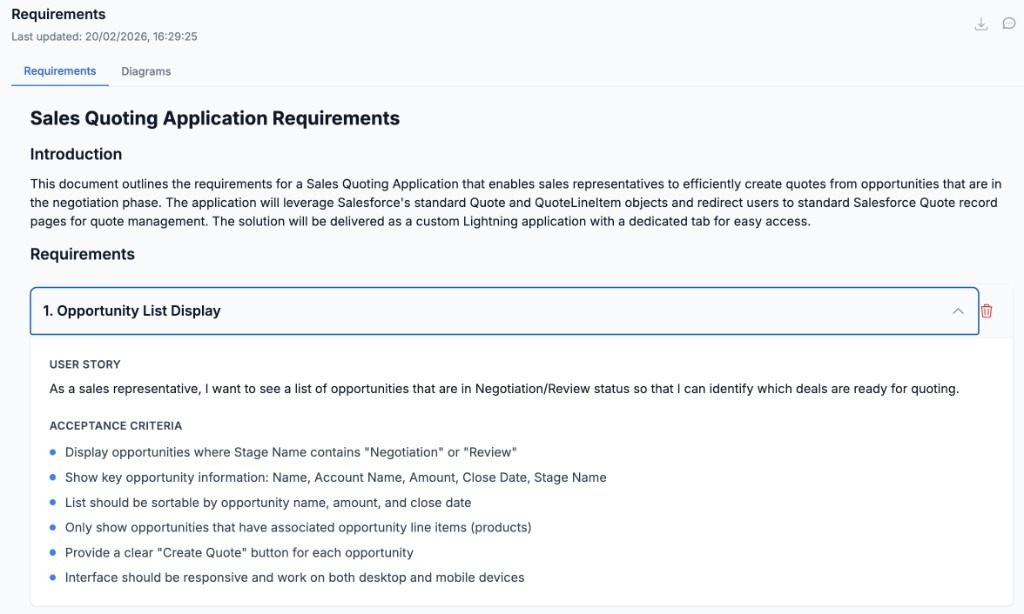
Tribal delivered what it understood to be the requirements, which I quickly approved after a quick glance - as I was keen to see if the architect had digested my rules:
Requirements & Architecture
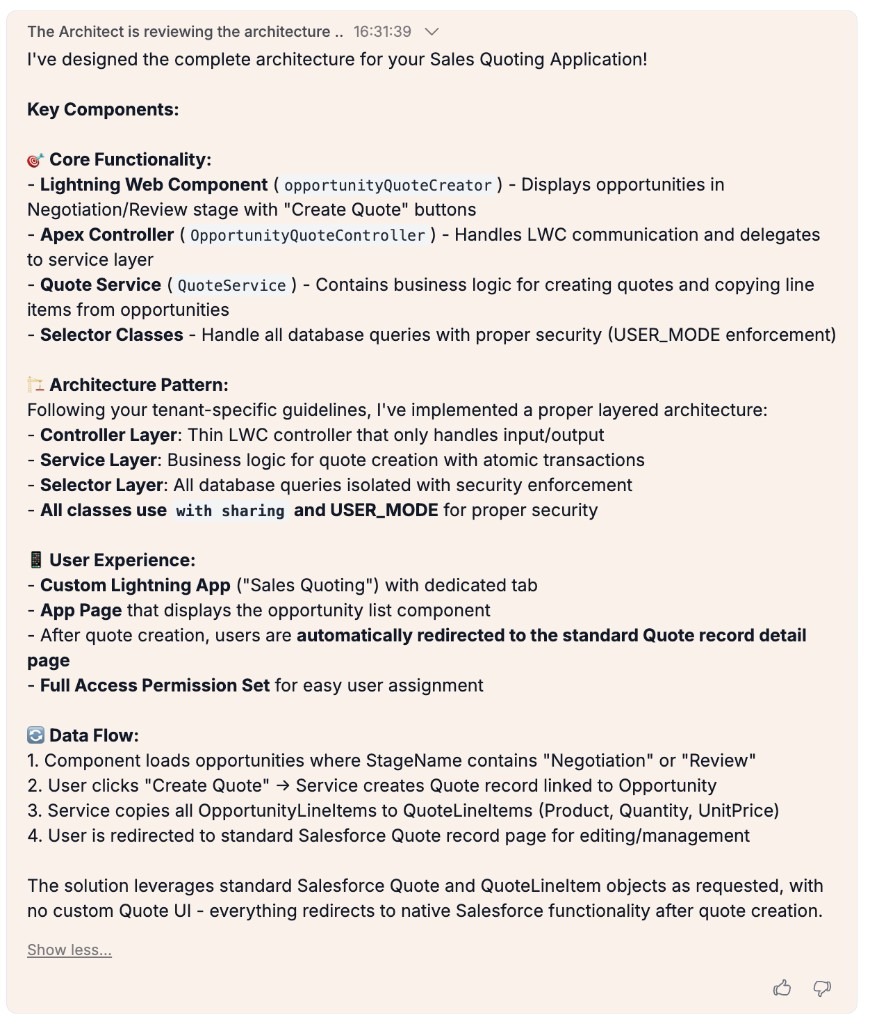
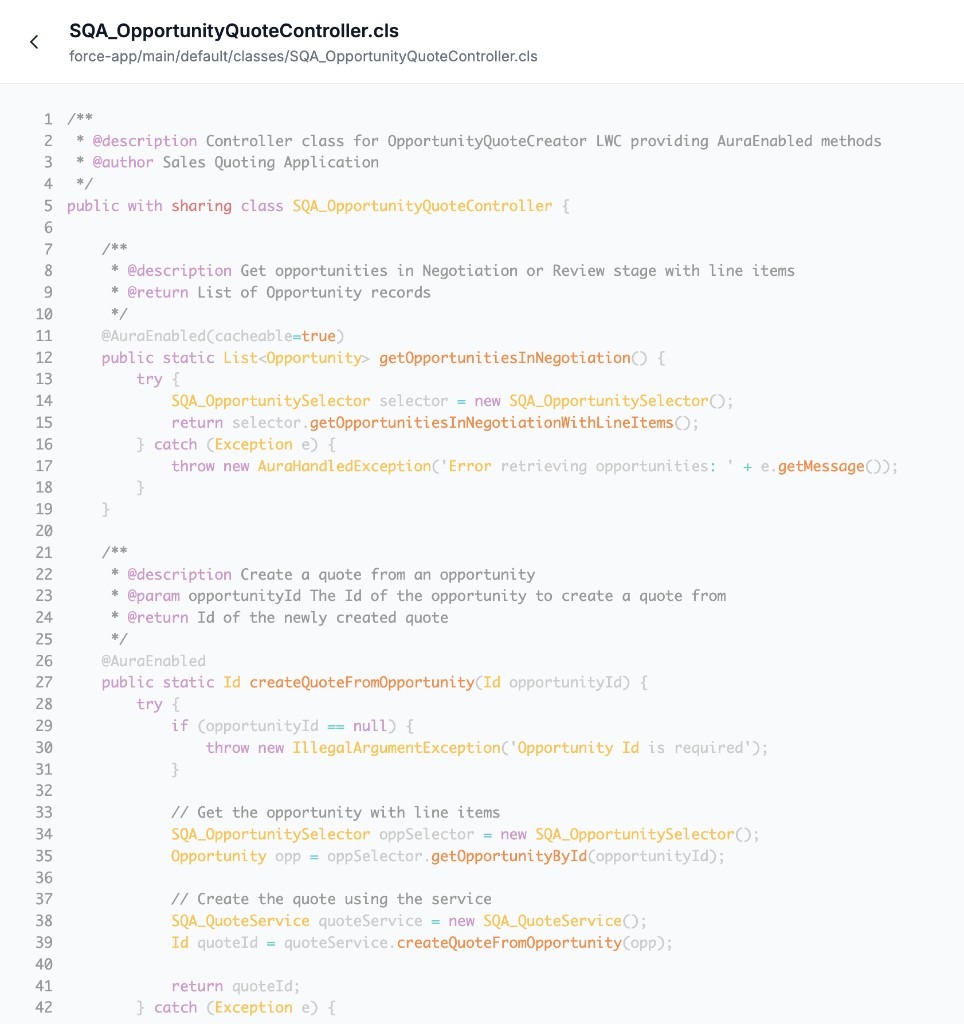
Reviewing the Apex controller class for the LWC it created we can see that it did indeed apportion code between the service layer and selector layers as instructed. I did see other aspects of my instructions that made it through to the architecture phase but not to the build phase; something the Tribal team are working on to tighten up:
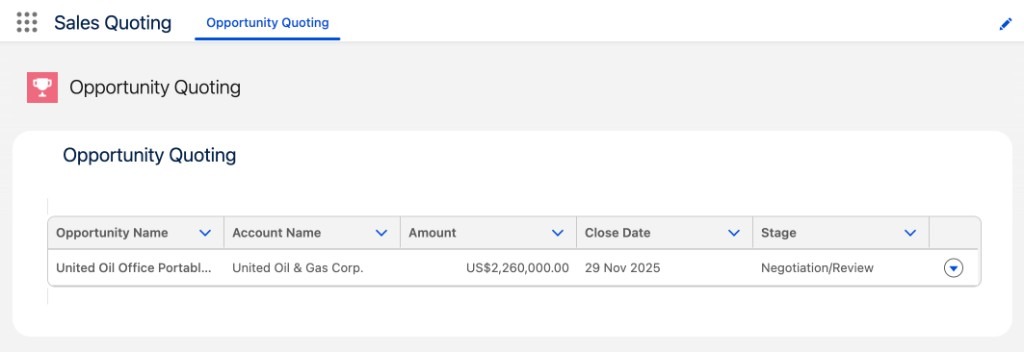
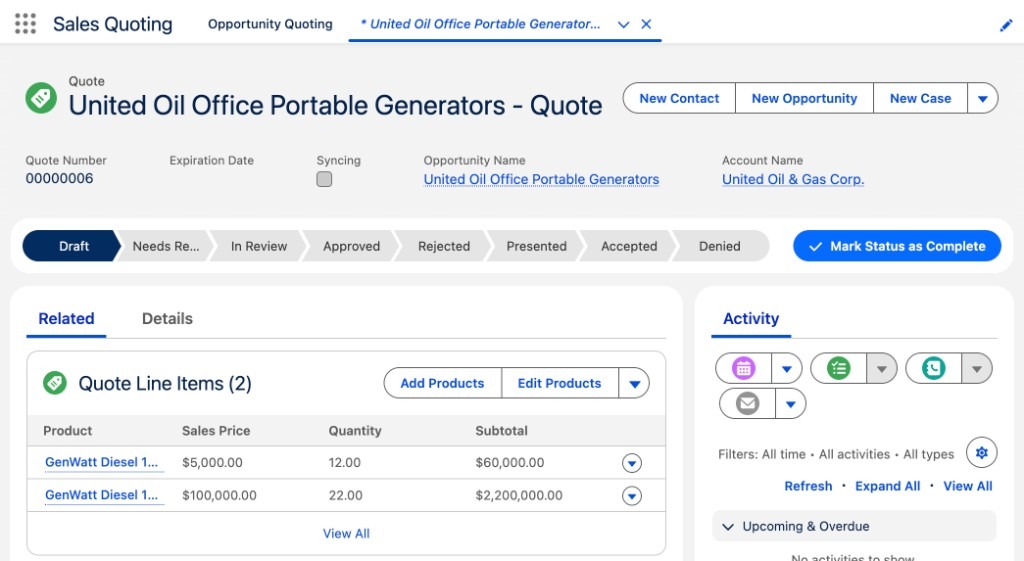
When using Tribal to create applications it is currently at its best when creating a single LWC component that drives the primary UI from a tab or LWC placed on a detail page vs for example leveraging the standard UI by adding custom buttons. The application it built did, after making a small bug fix, create the Quote and navigate the user correctly to the Quote record detail page:
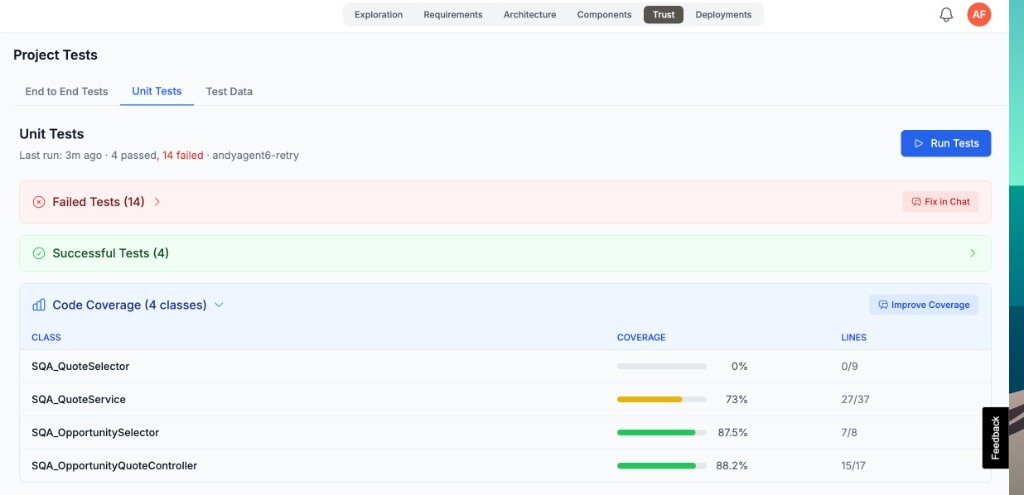
Tribal will also generate end-to-end test plans for manual testing and Apex test code for coverage. Of course I highly recommend that you review and discuss changes with the agent before proceeding with these. The facility also allows you to view code coverage and chat with the agent on ways to improve it—all under the Trust tab in Tribal:
Visibility and Pipeline Control
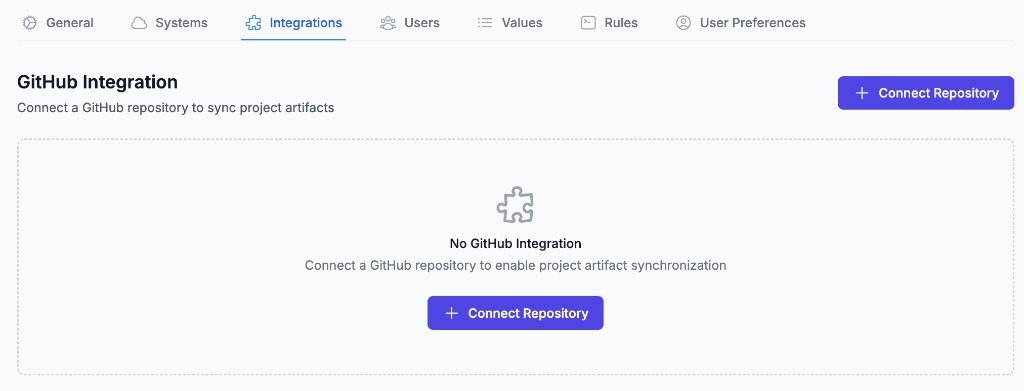
Tribal is a browser-based experience and manages the full life cycle of your applications through that interface. While it does have a means to view the metadata and code it is generating through the browser, you will likely want to use development tools such as Visual Studio to review the code further or simply extract it to work on it further. Tribal provides GitHub integration:
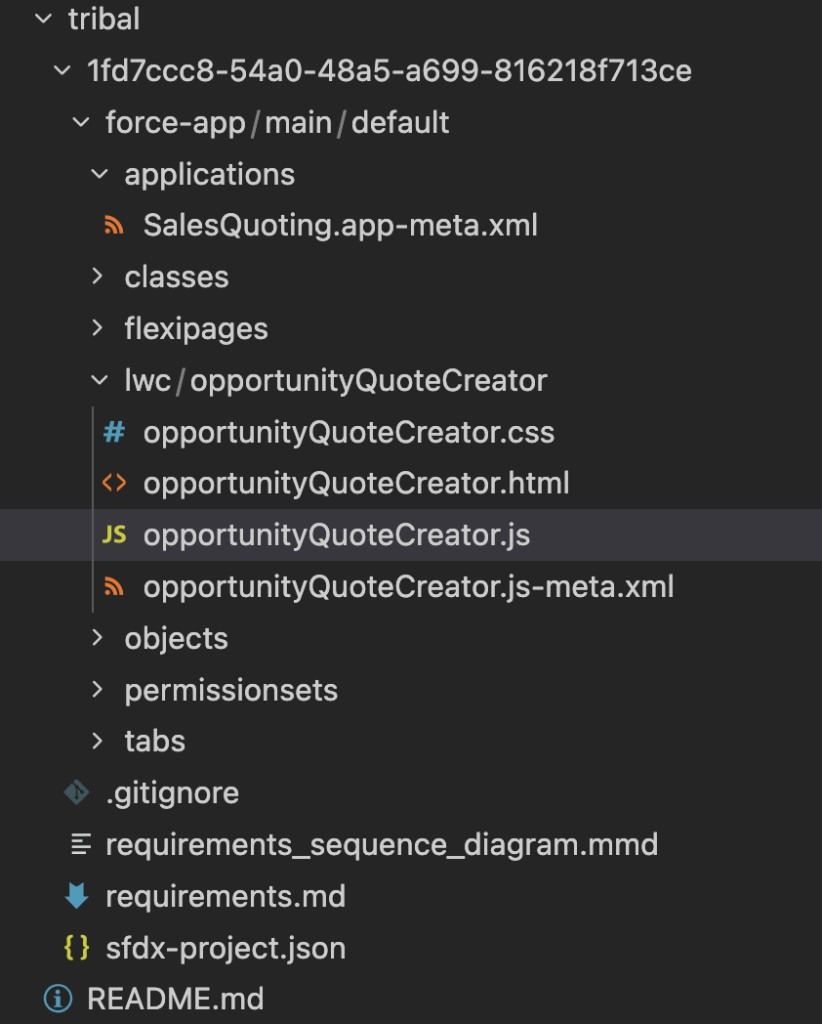
This facility is intentionally aimed as a backup and restore facility for all your Tribal projects, each project represents a folder in the repository root as a result:
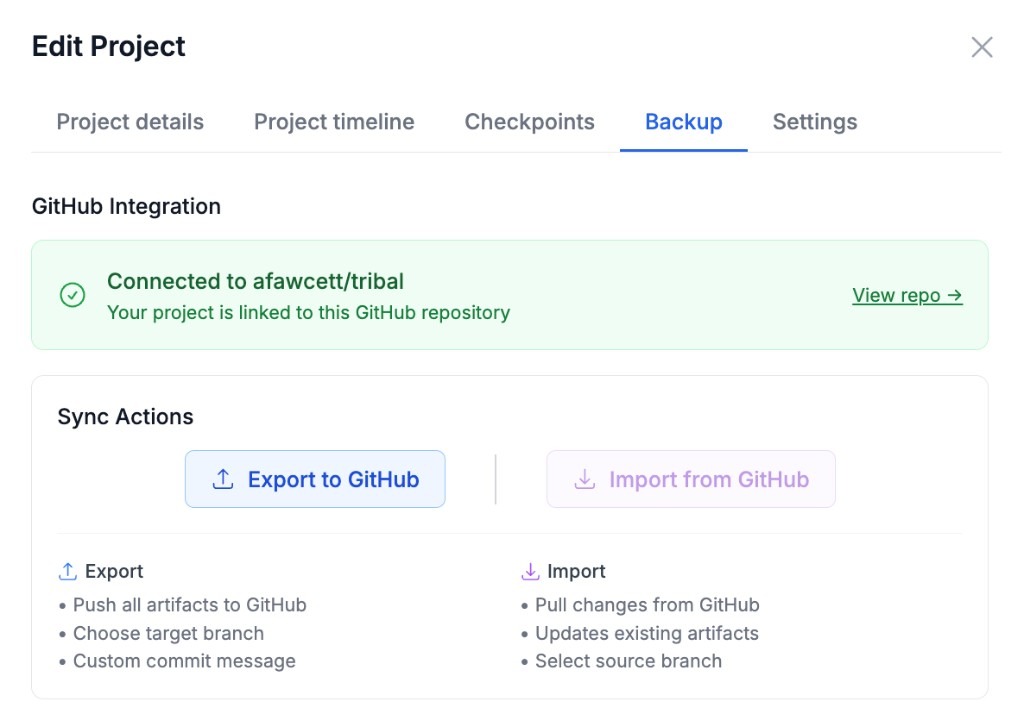
It was then possible to Export and Import to the attached repository. This gave me an opportunity to get closer to the code to make a small fix using Visual Studio Code and Cursor (which could also have been Salesforce Vibes or one of your favorite AI developer agents). I then committed my changes and reimported (which included the option to automatically deploy) and resumed working with Tribal:

I really appreciate the GitHub integration here as it's a valid recognition that sometimes you just need to get to the code! My main bit of feedback here is to allow for a GitHub repository per project and support automatic syncing with Tribal on merge. This would then provide the optionality for you to allow your own CI/CD DevOps pipeline to take over if needed.
The Control Paradox: Innovation Without Chaos
I have been building software and leading software engineering for long enough to see similar challenges come and go and come back around. Putting aside AI for a moment, I have learnt that innovation needs some chaos and even some way to break the rules—developers need that outlet to be creative. Equally, when it comes to hitting the road with code for your shiny new product that customers are paying for and betting their businesses on, control and governance are required.
Now, clearly an AI is not going to get disappointed and leave if you constantly give it guardrails—but you're also not going to tap into its ability to see different pathways, some that might make you groan, but some that might also make you go "hmmm". And so we must keep this in mind when using agents such as Tribal: knowing when to tie it down with lots of rules versus when to let it explore with you.
Salesforce scratch orgs are a perfect disposable place to attach Tribal and let it run free for a bit (without the complexities of your current org). If you like what you see, you can tune it and attach it to your sandbox or perhaps a production org and continue the discussion or just start a new project; if not, at the very least you can extract the code and metadata for future exploration. My point is that you need to be intentional—just as you used to be without AI. Is this project an experiment, a demo, a what-if or a production change? Then load your rules, attach your orgs, and worry about the output accordingly.
Practical Takeaways and the Path Forward
It's all too easy to have a new tool as appealing as AI—one that seemingly understands your requirements as written—only to then accelerate delivery and use it to dive straight into engineering what you think you need. Tribal is more than just a code generator: it helps capture and discuss the why, document the how and create the what in ways that we humans can validate and engage with, in business terms. It also helps you build trust by supporting testing. What I am also curious to see is how it extends this awareness of the business problem to generate KPIs that help measure business impact and value.
Here are my two main takeaways for you:
1. Validate value early
You don't need a major application project to see value. Platforms like Tribal should also help understand your org structure and dependencies, make surgical enhancements with confidence, and build organizational AI capability incrementally. The platform's value extends beyond code generation—it's also a powerful tool for understanding your org, making precise enhancements, and building confidence in AI-assisted development with impact analysis.
2. Govern first
When focusing on production code, governance should come first: AI tools must respect existing organizational constraints and patterns. Adopt incrementally—start small, build confidence, then scale gradually. Demand visibility and control, with full transparency into AI-generated code and processes. Look for integration options with your existing DevOps, development workflows and ticketing systems. Seek flexibility to support custom agents and bring your own AI where it makes sense. Above all, prioritize understanding before changing: use tools that help you explore and comprehend your org before making modifications.
Meanwhile, if you want to try Tribal, here is an early access link.
.png)